Google DeepMind releases Mass Spec Skills for Antigravity
The plugin ranks possible molecular structures from fragment measurements and shows chemists which peaks support the proposed match.
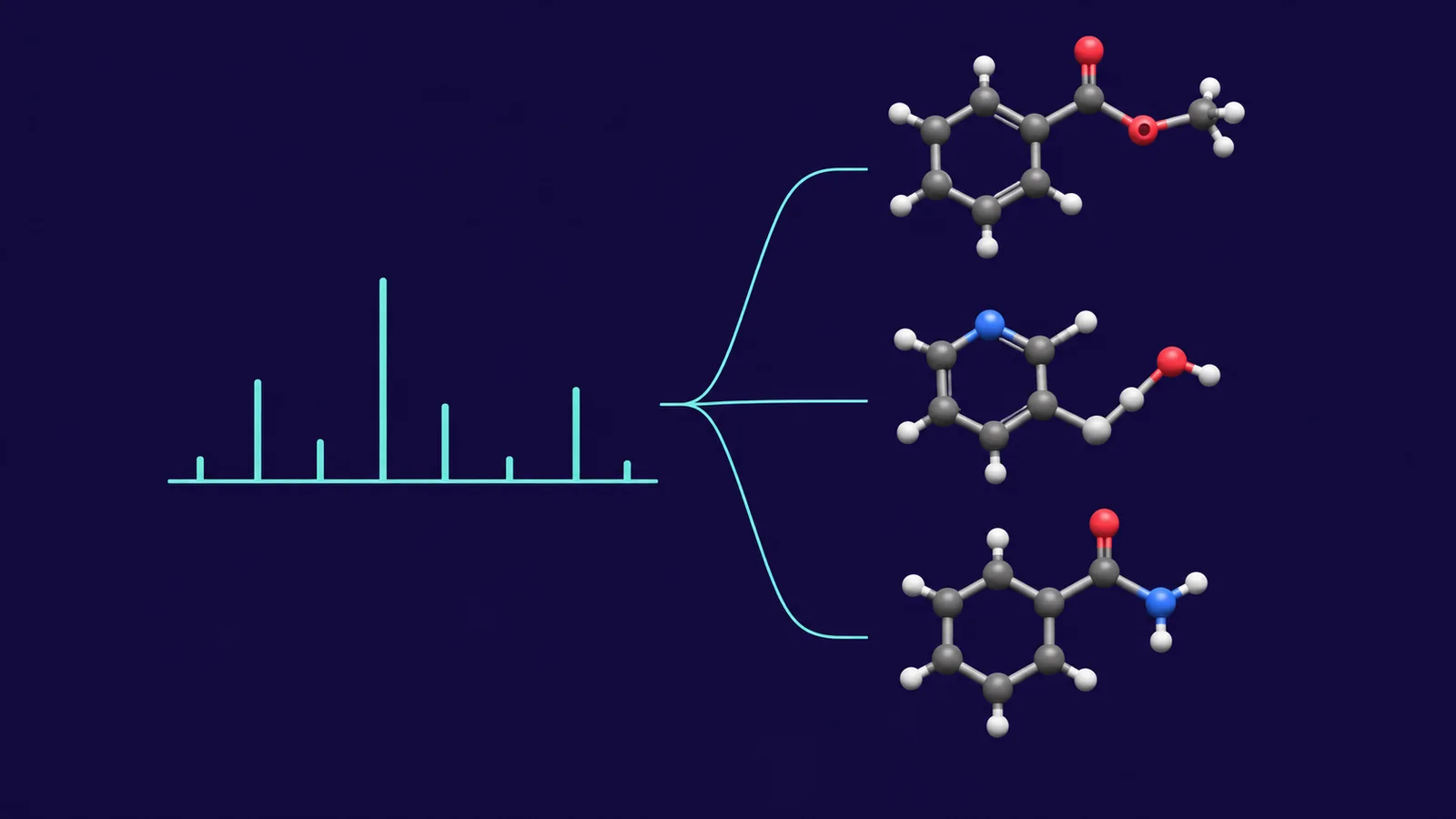
Google DeepMind released Mass Spec Skills through the Mass Spec plugin in the Google Antigravity app. DeepMind says researchers can submit an unannotated tandem mass spectrum and get a ranked list of possible molecular structures, with a report showing which measured peaks support the proposed match.
A tandem mass spectrum records fragments produced when charged molecules break apart. In DeepMind’s workflow, Gemini calls matchms to filter out low-intensity noise and searches the GNPS and MassBank of North America libraries for similar spectra.
When the search yields no confident match, the workflow uses SIRIUS to estimate the molecular formula, retrieves candidate structures from PubChem and ranks them by how closely their simulated fragments match the measured peaks. When candidates score the same, the workflow can check whether their bonds could produce the fragments seen in the spectrum.
DeepMind says the plugin can suggest a formula and assign peaks for genuinely new molecules. Confirming a new structure requires further work by a chemist.
DeepMind tested 100 compounds with public reference spectra drawn from the Enamine REAL collection in MassBank of North America. It reported exact identifications in about 97% of attempts for each of three Gemini models with internet access and Mass Spec Skills, compared with below 4% for each model with both disabled. Internet access alone also yielded lower accuracy than the combined setup. DeepMind’s launch post gives no independent replication of the benchmark.
The release follows DeepMind’s Cheminformatics Skills rollout and Google Research’s opening of Antigravity’s /teamwork and /boost to external scientists and developers.
The launch post gives no plugin-specific pricing or plan eligibility breakdown. DeepMind says enterprise users can access the plugin by selecting “Use Business Account” in the app and signing in with a Google Cloud account.
More news
Unsloth beta details Inkling 2 Mini fine-tuning and export
Anthropic rolls out beta for installing Claude artifacts as desktop apps
Anthropic opens Enterprise Frontier Safeguards public beta